
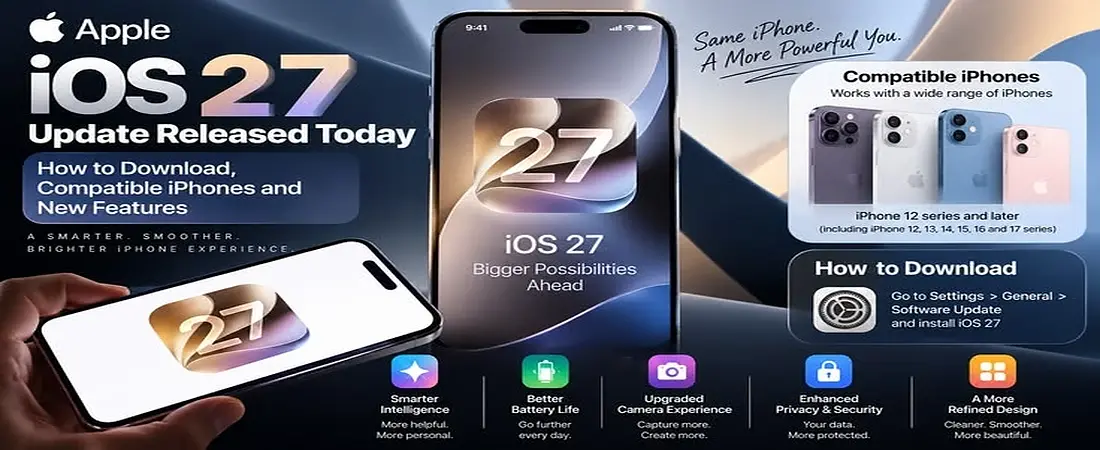
Apple has released iOS 27.0.1 for compatible iPhone models. The update arrived on September 28 2026. It is the first update after the release of iOS 27.
This is not a major feature update. It mainly focuses on fixing problems that some iPhone users were facing. Apple has listed fixes related to Face ID restarts. It also fixes a camera issue on some newer iPhone models. Another fix is for a touchscreen problem that could happen when Notification Center and Control Center were opened together.
If you are wondering what this update changes or whether your iPhone can get it then this guide covers the important details in simple words.
What Is iOS 27.0.1?
iOS 27.0.1 is a small follow up update to iOS 27. It does not bring another major version of iOS. Instead Apple has released it to fix specific problems found after the main iOS 27 release.
Apple lists iOS 27.0.1 as the latest version of iOS. The update has build number 24A446. Apple also says that the update has no published CVE entries on its security release page.
The update is available for iPhones that support iOS 27.
Key Takeways
- iOS 27.0.1 is the first update after iOS 27.
- The update focuses mainly on fixing bugs rather than adding major new features.
- It addresses issues related to Face ID camera behavior and touchscreen response.
- iOS 27.0.1 is available for iPhone 11 and later.
- The update was released on September 28 2026.
- Users can install it from Settings > General > Software Update.
- If your iPhone is working normally you can still update for the latest fixes and stability improvements.
What Does iOS 27.0.1 Fix?
There are three main fixes listed by Apple.
Face ID Restart Problem
One of the biggest fixes is related to Face ID on the iPhone 18 Pro and iPhone 18 Pro Max.
Apple says that some devices could unexpectedly restart when Face ID failed to authenticate. This is not how Face ID is supposed to work. A failed Face ID check should simply ask you to try again or use another authentication method.
The new update addresses this problem.
This fix is mainly important for people using the affected iPhone 18 Pro models. It does not mean that every Face ID problem on every iPhone has been fixed.
Camera Color Problem
The update also fixes a camera issue found on some iPhone 18 Pro and iPhone 18 Pro Max devices.
Apple says that a color artifact could appear in certain 2x photos under specific lighting conditions.
A color artifact basically means that an unwanted color or visual mark can appear in a photo. It does not mean that the camera on every iPhone 18 Pro has a hardware problem.
The issue was limited to certain conditions and Apple has included a fix in the new software.
Touchscreen Problem
Another important fix is related to the iPhone touchscreen.
Apple says that opening Notification Center and Control Center together could make the touchscreen become unresponsive.
Notification Center is where you see your notifications. Control Center gives you quick access to things like WiFi. Bluetooth. brightness and other controls.
If both areas were opened together under the affected condition then the touchscreen could stop responding. The update addresses this problem.
Which iPhones Support iOS 27.0.1?
The update is available for iPhones that support iOS 27.
Apple lists the iPhone 11 and newer as supported devices. The supported range also includes newer iPhone models and compatible iPhone SE models.
If you have an iPhone 11 or a newer supported model then open your software update page and check what Apple offers for your device.
You can check your current iPhone model by going to:
Settings → General → About
Then go to:
Settings → General → Software Update
Your iPhone will show the available update for your device.
iOS 27.0.1 Release Date and Build Number
Apple released the update on September 28 2026.
The build number is 24A446. Apple lists the update as available for iPhone 11 and later supported models.
The update came around two weeks after the main iOS 27 release. This timing is normal for a point update because Apple often uses these smaller releases to deal with problems that appear after a major software launch.
How to Install iOS 27.0.1
Installing the update is simple.
First open Settings on your iPhone.
Then tap General.
Now tap Software Update.
Your iPhone will check for available software. If iOS 27.0.1 is available then you can follow the instructions on the screen.
Before starting the update it is a good idea to back up important data. You should also have enough free storage and enough battery power.
Keeping your iPhone connected to power during the update can also be helpful.
Do not turn off the iPhone while the installation is running.
What If the Update Does Not Appear?
Sometimes an update may not appear immediately.
First check your iPhone model. Make sure it supports iOS 27.
Then check your current software version. You can find this under Settings → General → About.
You should also check your internet connection. A weak connection can cause problems when checking for or downloading an update.
Free storage is another thing to check. If your iPhone is almost full then you may need to remove some unnecessary files or apps before updating.
After checking these things you can restart your iPhone and check the Software Update page again.
If the update still does not appear then use Apple’s official support options instead of downloading software from an unknown website.
Does iOS 27.0.1 Improve Battery Life?
Apple does not list a battery life improvement as one of the main fixes in this update.
That means there is no official basis for saying that the update will make every iPhone battery last longer.
Battery performance can be different from one iPhone to another. Your battery health. Apps. screen brightness. network use and other settings can all affect battery life.
There were also user reports about battery use and heat after the main iOS 27 update. These reports are individual experiences and should not be treated as proof that the new point update improves or reduces battery life for everyone.
If your battery is draining quickly then open Settings → Battery and check which apps are using the most power.
Does iOS 27.0.1 Make iPhone Faster?
This update is mainly about bug fixes.
Apple has not presented it as a major performance update. So you should not expect every supported iPhone to suddenly become much faster after installing it.
However a bug fix can make a device feel better if you were affected by one of the problems that Apple fixed.
For example a person who had the touchscreen problem may notice a clear difference after the update.
Another person who never had any of these problems may not notice a major change.
Should You Install iOS 27.0.1?
The answer depends on your iPhone and the problems you are experiencing.
If you have an iPhone 18 Pro or iPhone 18 Pro Max then the update is especially relevant because Apple has listed fixes for Face ID related restarts and a camera problem on those models.
If you experienced the touchscreen problem involving Notification Center and Control Center then the update is also directly relevant.
If your iPhone has been working normally then you can review the update details and the information shown on your device before installing it.
The important thing is to look at the actual fixes rather than expecting new major features from this release.
Is iOS 27.0.1 a Major Update?
No.
iOS 27 is the major iPhone software release. iOS 27.0.1 is a smaller follow up update focused on fixing problems.
The main purpose is stability and bug fixing.
That is why you should not expect the same type of new features that came with the original iOS 27 release.
Frequently Asked Questions
When was iOS 27.0.1 released?
Apple released it on September 28 2026.
What is the build number?
The build number is 24A446.
Does it fix Face ID?
It fixes a specific problem where some iPhone 18 Pro and iPhone 18 Pro Max devices could unexpectedly restart when Face ID failed to authenticate.
Does it fix the camera problem?
Yes. Apple says the update fixes a color artifact that could appear in certain 2x photos under specific lighting conditions on some iPhone 18 Pro models.
Does it fix the touchscreen problem?
Yes. Apple lists a fix for an issue where opening Notification Center and Control Center together could make the touchscreen unresponsive.
Is it available for iPhone 11?
Yes. Apple lists iPhone 11 and later supported iPhones for the update.
How do I install it?
Go to Settings → General → Software Update. If the update is available then follow the instructions shown on your iPhone.
Does it improve battery life?
Apple does not list a battery life improvement as one of the documented fixes. Battery results can vary between devices.
Final Thoughts
iOS 27.0.1 is a focused update for iPhone users. It does not try to change the whole iOS experience. Instead Apple has used this release to fix specific problems that appeared after iOS 27 launched.
The most important fixes involve Face ID related restarts on some iPhone 18 Pro models. A camera color issue on certain iPhone 18 Pro devices is also addressed. Apple has also fixed a touchscreen problem linked to opening Notification Center and Control Center together.
If you own a supported iPhone then you can check for the update through Settings → General → Software Update.
For the most accurate information always check Apple’s own release notes and compatibility information because software details can change as Apple releases newer updates.
Disclaimer
This article is provided for general information only.Software features and update details can change as Apple releases new information.Always check Apple’s official website or your iPhone Software Update page for the latest details.Before installing any major software update it is recommended to keep a recent backup of your important data.