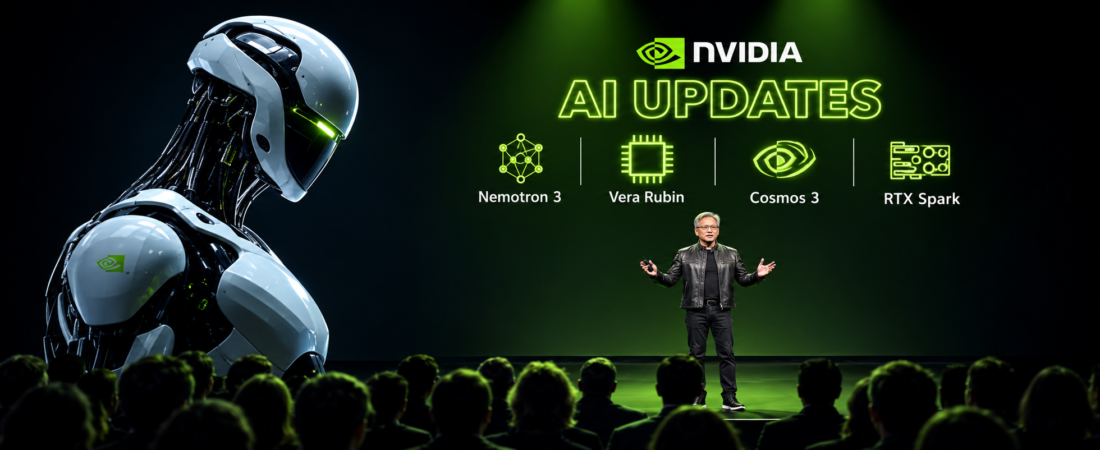
When people hear NVIDIA they usually think about graphics cards and GPUs. But NVIDIA is now much more than a hardware company. It has built a large AI ecosystem with models and tools for developers and businesses.
The term NVIDIA AI Model can be a little confusing because it does not always mean one specific model. NVIDIA offers different models for different jobs. It also provides tools that help developers build and run AI applications.
One of the main names you will see is NVIDIA Nemotron. It is a family of open models made for AI agents and other AI tasks. NVIDIA also has NIM which helps with model deployment and NeMo which provides tools for building and customizing AI systems.So if you are trying to understand the NVIDIA AI Model ecosystem then this guide will make things much easier.
What Is an NVIDIA AI Model?
An NVIDIA AI Model is an AI model developed by NVIDIA or made available through its AI ecosystem.These models can be used for different tasks. Some work with text. Some can work with images. Others are designed for speech or retrieval. There are also models made for more advanced agentic AI applications.
An important thing to understand is that an AI model and an NVIDIA GPU are not the same thing.A GPU is hardware. An AI model is software.
The GPU gives the computer the power needed to run the model. The model is what processes information and produces an output.NVIDIA brings these parts together through its wider AI platform. Its current AI model catalog includes NVIDIA models along with models from other providers.
Does NVIDIA Have Its Own AI Models?
Yes. NVIDIA has developed several model families.The best known family is NVIDIA Nemotron.
NVIDIA describes Nemotron as a family of open models with open weights and training data. NVIDIA also provides training recipes and technical information for these models.This makes Nemotron interesting for developers who want to inspect and test models before using them in real applications.
But Nemotron is only one part of the NVIDIA AI ecosystem.NVIDIA also works on multimodal AI and physical AI. Its current model catalog covers several areas and continues to change as new models are released.
What Is NVIDIA Nemotron?
NVIDIA Nemotron is a family of open AI models from NVIDIA.The models are aimed at different AI workloads. This includes reasoning and AI agents. NVIDIA’s current Nemotron family includes models such as Nemotron Nano and Llama Nemotron Super and Ultra.
The important thing is that you should not think of Nemotron as one single model.There are different versions for different needs.A smaller model can be useful when you care about efficiency and local or edge deployment. Larger models can be used for more demanding workloads where you have access to more computing power.
NVIDIA is also developing newer Nemotron generations. Its current developer material describes the Nemotron 3 family as multimodal models designed for high throughput agentic AI workloads.That means the exact model you choose should depend on your project.
NVIDIA AI Model and AI Agents
AI agents are becoming a major use case for modern AI models.A normal chatbot may answer a question and stop there. An AI agent can be designed to take several steps. It may use tools. It may search information. It may work with files. It can also interact with other software.
NVIDIA positions Nemotron for specialized AI agents. Its developer platform also includes tools and workflows for building these systems.
For example a company could build an internal AI agent that helps employees find information from company documents.Another company could create an agent that helps developers with coding tasks.The model is only one part of that system. You also need the right tools and deployment setup.
NVIDIA NIM and NVIDIA NeMo Explained
This is where many people get confused.
Nemotron is a model family.
NIM is mainly about deployment.
NeMo is used for AI development and customization.
NVIDIA NIM provides a way to deploy supported AI models as inference services. Current NVIDIA documentation covers deployment on your own computing systems as well as Kubernetes and major cloud platforms.
NeMo is different. It provides tools for working with AI models and includes workflows for training and customization. NVIDIA also provides deployment paths through NeMo and related technologies.
A simple way to remember it is this.
Nemotron is the model.
NeMo helps you work with AI models.
NIM helps you deploy supported models.
NVIDIA GPUs provide the computing power.
Once you understand this then the NVIDIA AI ecosystem becomes much easier to understand.
What Can NVIDIA AI Models Do?
The answer depends on the exact model.
Some models can help with reasoning. Others are designed for multimodal tasks. Some can support retrieval or speech applications.
AI models can be used for things like:
- AI assistants
- Customer support
- Coding tools
- Document question answering
- RAG applications
- AI agents
- Multimodal applications
- Speech applications
- Enterprise AI
For example a business could connect an AI model to its internal documents. The system can then retrieve useful information and provide an answer based on those documents.
Developers can also build AI agents that use models together with external tools.The important point is that there is no single model that is perfect for every job.
How Can You Access an NVIDIA AI Model?
There are several ways to explore NVIDIA models.The NVIDIA AI model catalog is a useful starting point. It provides access to different models and related resources.
Developers can also use supported NVIDIA NIM services. NIM can be deployed on NVIDIA accelerated infrastructure and NVIDIA provides documentation for cloud and Kubernetes deployment.
Nemotron models are also available through Hugging Face according to NVIDIA’s Nemotron documentation.
Before using a model you should always check its current license. You should also check its hardware requirements and supported deployment options.
Can You Run an NVIDIA AI Model Locally?
Yes. Some models can be run locally.But the hardware you need depends on the model.A small model can have very different requirements from a large model. You also need to think about memory and the software used for inference.
NVIDIA NIM supports different deployment setups. Current documentation covers Docker deployment and Kubernetes deployment. It also supports cloud environments such as AWS and Google Cloud among others.Very large models may need multiple GPUs or even multiple physical machines. NVIDIA’s current NIM documentation includes multi-node deployment for models that cannot fit on one node.
So before downloading a model it is a good idea to check its current requirements.
Why Are NVIDIA AI Models Useful?
One reason developers look at NVIDIA is the wider ecosystem around its models.You can find models. You can use development tools. You can use deployment technologies. You can also use NVIDIA hardware designed for AI workloads.
This can make things easier for teams that already use NVIDIA infrastructure.But that does not mean every NVIDIA model is right for every project.You still need to test the model for your own use case.A model may look impressive in general testing but behave differently with your own documents or prompts.
What Should You Check Before Choosing a Model?
Do not choose an AI model only because its name is popular.First decide what you actually need.
Ask yourself:
What type of task will the model handle?
Do you need text or multimodal AI?
Do you need an AI agent?
Will the model run locally?
Will you use a cloud service?
How much hardware do you have?
What is the license?
How fast does the application need to respond?
Do you need fine tuning?
Do you need RAG?
These questions can help you narrow down the right option.
NVIDIA also provides model specific deployment information because hardware support and deployment options can differ between models.
Frequently Asked Questions
What is an NVIDIA AI Model?
It is an AI model developed by NVIDIA or available through the NVIDIA AI ecosystem. Different models support different tasks such as reasoning and agentic AI.
What is NVIDIA Nemotron?
Nemotron is a family of open AI models from NVIDIA. NVIDIA provides open weights and training information for its Nemotron models.
Is NVIDIA Nemotron open source?
NVIDIA describes Nemotron as a family of open models. You should still check the license of the exact model you plan to use because open models can have different terms.
What is NVIDIA NIM?
NIM is NVIDIA’s technology for deploying supported AI models as inference services. It is not a single AI model.
What is NVIDIA NeMo?
NeMo is a set of tools and frameworks for working with AI models. It supports areas such as model development and deployment.
Can I run NVIDIA AI models on my own computer?
Some models can be run locally. The required hardware depends on the specific model and deployment method.
Can businesses use NVIDIA AI models?
Businesses can use applicable models and services but they should check the license and terms of the exact model before commercial use.
Are NVIDIA AI models free?
There is no single answer for every model. Access and licensing can differ. Always check the current information for the specific model.
Final Thoughts
The term NVIDIA AI Model sounds like it describes one product. In reality it covers a much wider ecosystem.
NVIDIA has its own model families such as Nemotron. It also provides tools such as NeMo and NIM. These technologies can be used together to build and deploy AI applications.
For beginners the easiest way to understand it is simple.
The model does the AI work.
NeMo helps developers build and customize AI systems.
NIM helps deploy supported models.
NVIDIA GPUs provide the computing power.
Once you understand these four parts the NVIDIA AI ecosystem makes much more sense.
And if you are planning to use an NVIDIA AI model for a real project then start with the task you want to solve. After that choose the model and deployment method that fits your needs. That is usually a much better approach than choosing a model first and trying to find a use for it later.