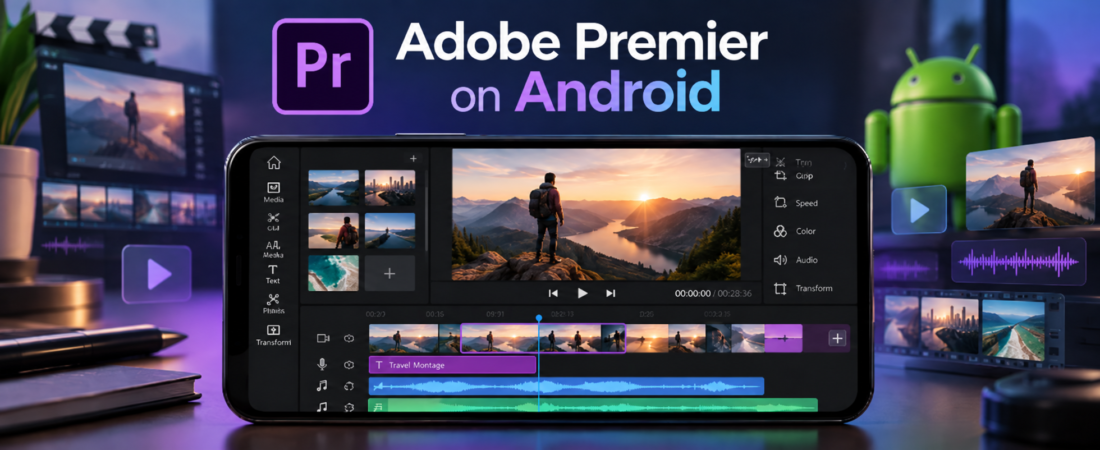
If you have been looking for Adobe Premiere Android then there is good news. Adobe has finally brought its premiere mobile video editor to android devices. The app is available through Google Play and it is designed for people who want to edit videos directly on their phones or tablets.
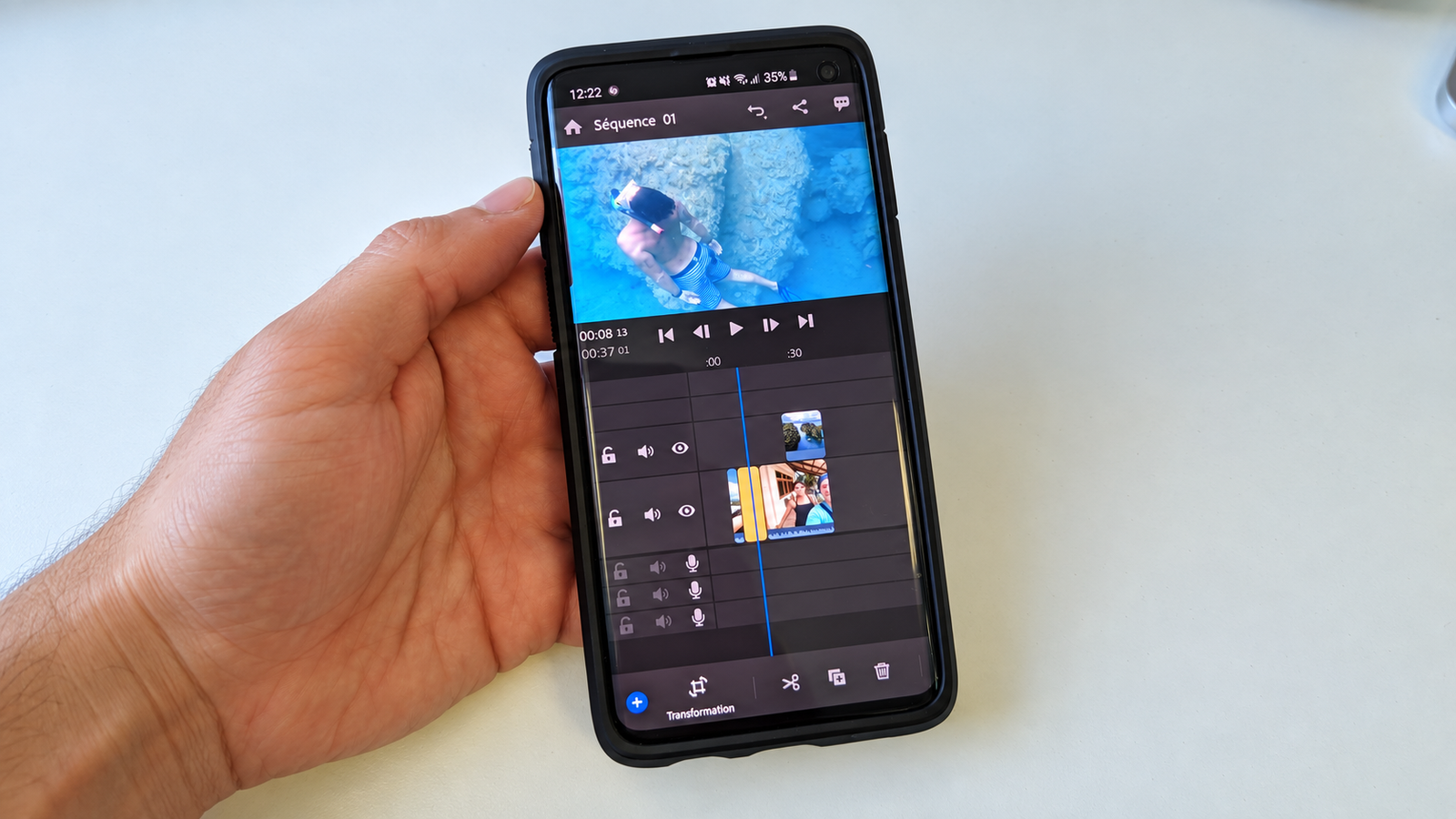
The new app gives Android users a proper video editing workspace with a multi track timeline. You can add video clips. You can add music. You can add voiceovers. You can also add text and effects. Adobe also supports video editing and export up to 4K. The basic editing experience is free and exported videos do not have an Adobe watermark.If you are wondering whether your phone can run the app or whether it is really free then this guide explains everything in simple words.
Is Adobe Premiere Available on Android?
Yes. Adobe Premiere Android is now available through the Google Play Store.Adobe released the Android version on September 22 2026. The app works on Android phones and Android tablets that meet the required specifications. Adobe says the device must use Android 13 or later and must have at least 5 GB of RAM.
This is important because many Android users have been waiting for an official Premiere experience. Older Adobe mobile apps such as Premiere Rush are also being phased out as Adobe moves users toward its newer Premiere products.
How to Download Adobe Premiere Android
Getting the app is simple.Open the Google Play Store on your Android device. Search for Adobe Premiere and look for the official Adobe application.Before installing it check your Android version and your available RAM. Your device needs Android 13 or newer and at least 5 GB of RAM.
It is better to use Google Play instead of downloading an unofficial APK from a random website. An unofficial APK may not be the latest version and it can also create security problems.Once the app is installed you can open it and start a new project.
Adobe Premiere Android Requirements
The minimum requirements are fairly simple.You need an Android phone or tablet with Android 13 or later. You also need at least 5 GB of RAM. Adobe supports portrait use on phones while tablets can work in both portrait and landscape orientations.
Some online features need an internet connection. Adobe says Wi Fi or cellular data is needed for creative asset libraries and other cloud based features. A 4G connection is the minimum listed by Adobe while 5G is recommended.
Keep in mind that meeting the minimum requirements does not mean every phone will give you the same editing experience. A newer phone can handle demanding projects differently from an older device that only meets the minimum requirements.
Is Adobe Premiere Android Free?
Yes. The core Adobe Premiere Android editing experience is free.Adobe says users can edit videos and export unlimited 4K videos without watermarks in the free version. You do not need to pay just to use the main editing tools.
The free editor includes the main tools that most users need for everyday video creation.You can trim clips. You can arrange clips on a timeline. You can add audio. You can use effects and transitions. You can add text and export your finished video.Some additional features and services can involve generative credits or other paid access.
What Can You Do With Adobe Premiere Android?
The main reason people are interested in Adobe Premiere Android is the editing experience.Instead of using a very basic editor where you only place one clip after another you get a multi track timeline. This gives you more control over your project.
You can place video on different tracks. You can add music under your video. You can add a voiceover. You can add text and effects.Adobe also supports frame accurate editing. This is useful when you want to make a cut at an exact point in your footage.There are also templates and creative assets that can help you start an edit faster.
4K Video Editing and Export
One of the biggest features of Adobe Premiere Android is 4K support.Adobe says the mobile app can edit and export videos up to 4K resolution. The free version also allows unlimited 4K exports without watermarks.This can be useful for creators who record high resolution videos on modern smartphones.
However you should remember that 4K video files are large. They can use a lot of storage and they can also place more load on your phone during editing.If your phone starts running slowly during a large project then closing other apps and making sure you have enough free storage can help.
Does Adobe Premiere Android Add a Watermark?
No. Adobe says the free mobile version allows users to export videos without watermarks.This is useful for people who create content for YouTube Shorts. Instagram. TikTok or other platforms.You do not have to put an Adobe logo on your finished video simply because you used the free editor.
Audio Editing on Adobe Premiere Android
Good video is not only about the picture. Audio matters a lot too.
Adobe Premiere Android includes audio editing tools that let you add music and voiceovers to your projects. You can also extract audio from video and work with it separately.
Adobe has also included Enhance Audio. This tool can help make speech clearer and reduce distracting background noise.This can be useful when recording a voiceover in a normal room where you cannot fully control the background sound.
Adobe Premiere Android for YouTube Shorts
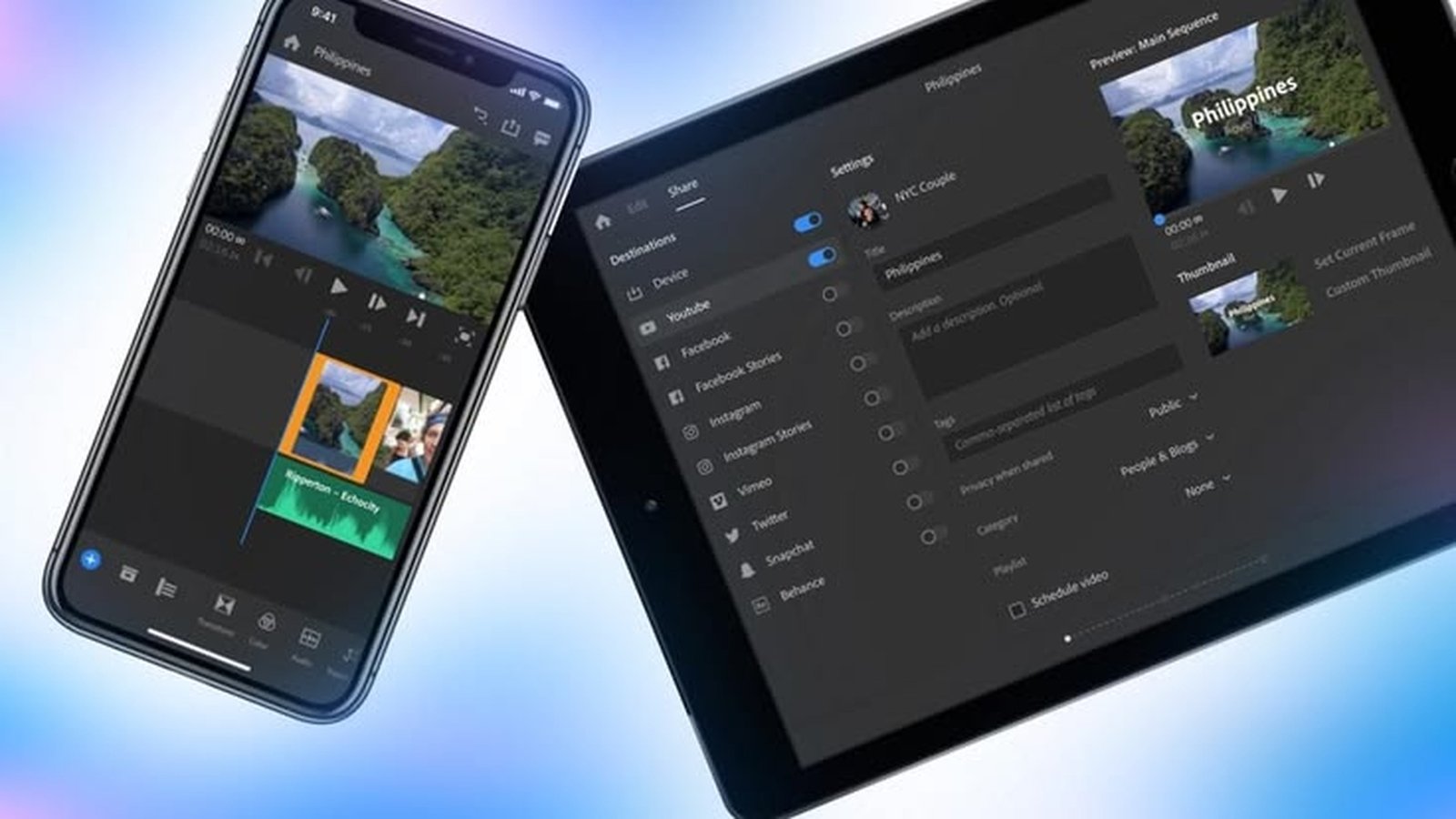
The app is also focused on social media creators.Adobe provides a dedicated workflow for YouTube Shorts with templates and other creative tools. This can make the editing process easier for people who mainly create vertical videos.
You can record footage on your phone and then move directly into editing without first sending everything to a computer.That makes Adobe Premiere Android useful for creators who want to work from their phone.
What About AI Features?
Adobe is bringing Firefly generative AI into its Premiere mobile experience. The launch information includes features such as Generative Fill. Image to Video and Generate Sound Effects.However there is an important detail here.
Adobe’s current product page says that its generative AI features are currently available on iOS. So Android users should check the latest Adobe documentation before assuming every Firefly feature is already available on Android.
This is a good example of why older launch articles can become outdated quickly.The Android app itself is available now. But individual features can arrive at different times.
What Features Are Still Coming?
Adobe has announced several features that are still being developed for the mobile experience.These include Adobe Fonts. Enhanced captions. Keyframes. Cropping. Beat detection and continued editing with Premiere on desktop.
This means the current Android app should not be treated as the final version of the product.Adobe is continuing to add tools and improve the mobile workflow.
Adobe Premiere Android vs Premiere Pro
A common question is whether Adobe Premiere Android is the same thing as Premiere Pro.It is not.
Premiere on Android is a mobile editing application. Premiere Pro is Adobe’s desktop video editing software.The Android app is designed around touch controls and mobile editing. Premiere Pro provides a much broader desktop editing environment.
So if you search for Premiere Pro Android you should understand that Adobe has not simply placed the full desktop application on an Android phone.Instead you get a dedicated mobile version of Premiere.
Adobe Premiere Android and Premiere Rush
Some users may also remember Adobe Premiere Rush.Rush was designed as a simpler video editing tool for creators who wanted an easier workflow across mobile and desktop.
Adobe is now moving away from Premiere Rush. Adobe says Rush stopped being available for new downloads after September 30 2025. Existing installations are scheduled to reach the end of technical support on September 30 2026.
For users who are still using Rush this transition is important.The newer Premiere mobile app is part of Adobe’s current direction for mobile video editing.
Who Should Use Adobe Premiere Android?
Adobe Premiere Android can be useful for many types of creators.
It can work well for someone making YouTube Shorts from a phone. It can also be useful for vloggers. Beginners. Social media creators and people who simply want more control than a basic phone editor provides.
It is also useful for people who already use Adobe products and want a mobile editing option.You do not need to be a professional editor to start. The basic workflow is simple enough to learn with practice.
Common Problems With Adobe Premiere Android
If the app does not install first check your Android version and RAM.If the app runs slowly then check your free storage and close apps running in the background.
If you cannot find a particular feature then check Adobe’s latest documentation. The mobile app is still receiving updates and some features are not available everywhere yet.
Also remember that AI features and cloud based tools can need an internet connection and some features can require Adobe account access or generative credits.
Final Thoughts
Adobe Premiere Android gives Android users a new way to edit videos with Adobe’s Premiere brand directly from a phone or tablet.The app is free for core video editing. It supports a multi track timeline and frame accurate editing. It also supports 4K editing and export without a watermark. Adobe has included audio tools and templates too.
The biggest thing to remember is that this is a mobile Premiere app. It is not simply the desktop Premiere Pro application running on Android.
The app is still growing and Adobe has already listed more features for future updates. So if you are looking for an Android video editor with a more serious editing workflow then it is worth checking whether your phone meets the requirements and trying the official version from Google Play.
Key Takeaways
- Adobe Premiere is now available on Android.
- Android 13 or newer is required.
- At least 5 GB of RAM is required.
- The core editor is free.
- 4K export is supported.
- Free exports do not include a watermark.
- Multi track editing is available.
- Enhance Audio can improve voice recordings.
- Some features are still being added.
- Premiere Android is different from desktop Premiere Pro.
- Premiere Rush is being phased out.
- Always check Adobe’s current documentation for newly released features.