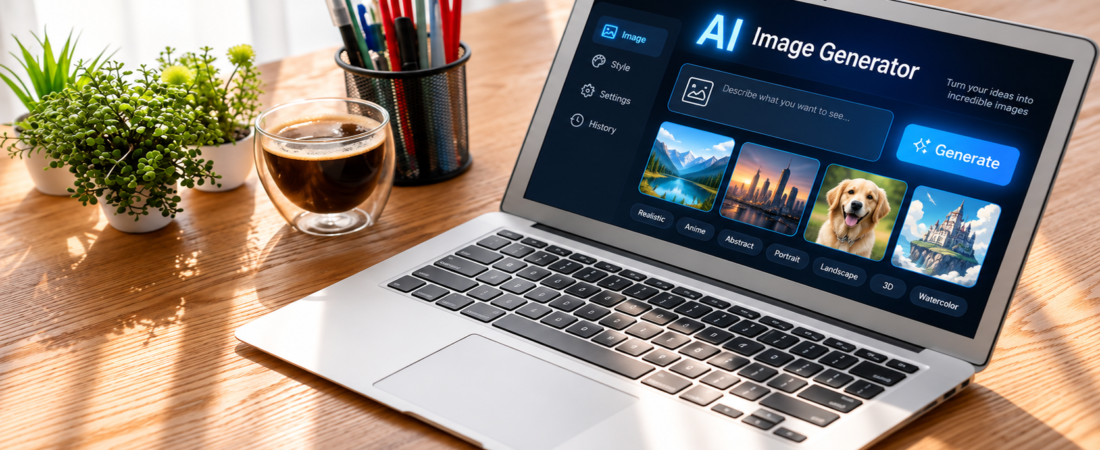
AI image generation has been changed a lot. A few years ago these tools were mostly used for fun experiments. Now people use them for marketing images, product visuals, social media posts, concept art, presentations and many other creative projects.
But choosing between the best AI image generators is not always simple. Different tools are good at different things. One may create beautiful artistic images while another may be better at editing photos. Some are better when an image needs readable text. Others give you more control over styles and workflows.So instead of asking which tool is simply the best you should ask which tool is best for the work you need to do.
Quick Answer
The best AI image generators in 2026 include Midjourney, ChatGPT Images, Adobe Firefly, Ideogram, FLUX, Recraft and Leonardo AI.
Midjourney is well known for artistic and visually striking results. ChatGPT Images is useful when you want to create and edit images through natural language. Adobe Firefly is particularly interesting for people already using Adobe products and for commercial workflows. Ideogram is useful when readable text is important.The right choice depends on your purpose and not just image quality.
Table of Contents
- Midjourney
- ChatGPT Images
- Adobe Firefly
- Ideogram
- FLUX
- Recraft
- Leonardo AI
- Comparison table
- How to choose an AI image generator
- Common mistakes
- FAQs

The Best AI Image Generators Compared
1. Midjourney
Midjourney is listed one of best AI Image generators. It is particularly appealing to artists designers and creators who care about visual style.Its biggest strength is the ability to create attractive artistic imagery from relatively simple prompts. It can be useful for concept art moodboards editorial visuals fantasy scenes and creative projects.
The main thing to remember is that Midjourney is not automatically the right choice for every project. If your work depends heavily on precise text or a very specific editing workflow another tool may suit you better.
Best for: Artistic images concept art and visual exploration.
2. ChatGPT Images
ChatGPT Images takes a different approach. Instead of learning a complicated interface you can describe what you want using ordinary language and then continue refining the result.OpenAI says ChatGPT Images can create new images and edit existing images. Users can also request different aspect ratios and make changes through conversation.
This makes it useful when the image is part of a larger creative task. You might start with an idea then ask for changes to the composition background text or other details.OpenAI also says its current image system has improved instruction following and image editing.
Best for: Natural language prompting editing and general creative work.
3. Adobe Firefly
Adobe Firefly is aimed strongly at creative professionals and people already working with Adobe’s ecosystem.It is also listed as best AI Image generator. It can be especially useful when image generation needs to fit into workflows involving Photoshop Illustrator or other Adobe products.
Adobe says its Firefly models are trained using licensed content and public domain content. Adobe also states that outputs from its Firefly AI models can be used for commercial purposes subject to its terms.That makes licensing and commercial use an important part of the Firefly story.Still you should always check the current terms for your particular plan and the specific model you use.
Best for: Adobe users commercial creative workflows and professional design.
4. Ideogram
Ideogram has built a strong reputation around images where text matters.That can be useful for posters social graphics advertisements signs thumbnails and other designs where words need to appear inside the image.
Traditional image generators have often struggled with spelling and typography. Ideogram is one of the tools worth considering when readable text is a major requirement.
Best for: Posters logos typography and text-heavy images.
5. FLUX
FLUX is another important name in the current AI image generation landscape.It is particularly interesting for users who want more control and for people exploring different models and workflows.
Depending on the version and implementation FLUX can be used through different platforms and setups. This makes it less straightforward than simply opening a consumer image generator but it can be attractive to advanced users.
Best for: Photorealistic imagery advanced users and flexible workflows.
6. Recraft
Recraft is worth considering when ordinary image generation is not enough.Designers may be interested in its approach to vectors brand assets illustrations and other design oriented work.
It can make more sense for someone creating a collection of visual assets rather than generating a single artistic image.
Best for: Branding vectors illustrations and design assets.
7. Leonardo AI
Leonardo AI is designed around creative workflows and gives users a broad set of image-generation and creation features.It can be useful for creators working on characters concept art game assets and visual experiments.
Its wider creative environment can be useful for people who want more than a simple text box that produces an image.
Best for: Creators concept art characters and visual projects.
Comparison Table
| Tool | Best For | Main Strength |
|---|---|---|
| Midjourney | Art and concepts | Strong visual style |
| ChatGPT Images | General creative work | Natural language editing |
| Adobe Firefly | Professional design | Adobe workflow |
| Ideogram | Text in images | Typography |
| FLUX | Advanced users | Control and flexibility |
| Recraft | Branding | Vectors and design |
| Leonardo AI | Creative projects | Broad creator workflow |
These categories are not permanent rankings. AI models change quickly and new versions can alter the strengths of each platform.
How to Choose the Right AI Image Generator
The best AI image generators should not be judged only by how beautiful one sample image looks.
Start with your actual purpose.If you want cinematic artwork or concept images then Midjourney may be worth exploring.If you want to describe an image and then keep refining it through conversation ChatGPT Images can be a practical option. OpenAI specifically supports iterative creation and editing through natural language.
If you work heavily inside Photoshop or Illustrator then Firefly may fit your existing workflow better.If your design contains a lot of written text then Ideogram deserves attention.For users who want more technical control FLUX or local models can be more interesting.The important point is that there is no single tool that is perfect for every job.
What About Free AI Image Generators?
Many image-generation platforms offer some form of free access or limited usage. However free access can come with restrictions such as generation limits credits slower processing fewer features or reduced access to advanced models.
So don’t compare tools based only on whether they have a free plan.Look at what you actually get for free.If you plan to create images regularly then pricing and generation limits become much more important.
Commercial Use and Licensing
This is one area where users should be careful.An image looking commercially usable does not automatically mean that every possible use is covered by the same license.Check the current terms of the platform before using generated images for advertising products client work or other commercial purposes.
Adobe for example specifically explains its approach to commercially usable Firefly outputs and says its Firefly models are trained on licensed and public domain content.Other platforms can have different rules.For business use this can be just as important as image quality.
Common Mistakes to Avoid
Choosing a tool because everyone talks about it
Popularity does not necessarily mean it fits your workflow.
Looking only at image quality
Editing capabilities prompting control text rendering and licensing can matter just as much.
Ignoring the free plan limitations
A tool can look attractive until you discover that your normal workflow requires paid credits.
Using outdated comparisons
AI image tools change quickly. Features pricing and models can change within a short period.
Making unsupported copyright claims
Copyright rules can vary by country and situation. Do not assume that every AI generated image automatically gives you unrestricted ownership.
Using AI without editing
A generated image is often a starting point rather than the finished creative asset. Human editing can make a major difference.
Tips for Getting Better AI Images
Start with a clear prompt.Tell the generator what the subject is what is happening and what visual style you want. You can also describe lighting composition camera angle and important details when they matter.OpenAI recommends focusing prompts on the purpose of the image the subject the action the setting and desired visual style rather than simply making prompts unnecessarily long.
Then refine the result.Instead of completely rewriting your prompt every time you can identify the part that is wrong and ask for a specific change.This approach is particularly useful with conversational image tools.
FAQs
What is the best AI image generator?
There is no single answer for every user. Midjourney is known for artistic work while ChatGPT Images focuses strongly on natural language creation and editing. Other tools have different strengths.
What is the best free AI image generator?
That depends on the amount of access you need. Free plans can have different limits and features so compare the current plans before choosing one.
Which AI image generator is best for realistic images?
Several current models can create highly realistic imagery. The best option depends on the type of realism you need such as portraits product photography or environments.
Which AI image generator is best for text?
Ideogram is a strong option to consider when readable text inside an image is a major requirement.
Can AI generated images be used commercially?
Sometimes yes but the answer depends on the platform terms model and intended use. Always check the current licensing terms before using an image commercially.
Are AI image generators difficult to use?
Many modern tools are designed to be accessible to beginners. Conversational systems can be especially simple because you can describe the desired image in normal language.
Conclusion
The best AI image generators are not necessarily the ones with the most impressive demo images. The better choice is the tool that fits your actual workflow.
Midjourney can be a strong option for artistic visuals. ChatGPT Images is useful for conversational creation and editing. Adobe Firefly fits naturally into Adobe workflows. Ideogram is worth considering when text is important. FLUX offers interesting possibilities for advanced users while Recraft and Leonardo AI serve different creative needs.
Before paying for any platform try the workflow you actually need. Test the type of images you plan to create. Check the editing tools. Look at the current pricing and read the licensing terms.That simple process will help you find the right AI image generator without relying on hype alone.
Key Takeaways
- Different AI image generators are built around different strengths.
- Midjourney is well suited to artistic and concept work.
- ChatGPT Images is useful for conversational creation and editing.
- Adobe Firefly is closely integrated with professional Adobe workflows.
- Ideogram is worth considering for text-heavy graphics.
- FLUX can appeal to users who want more control.
- Recraft is useful for design and brand assets.
- Always check current pricing and licensing before choosing a tool for professional work.
- The right tool depends on your specific use case rather than a universal ranking.